Getting ROCm working on Arch WSL
With Anthropic releasing their J-space paper, I decided to see if I can replicate it on RWKV, the RNN inspired LLM that actually works. One problem, I can't seem to collect the required calabration data using q Q4 model, the activation change is way too big on small perturbations.. BF16 does work but my poor 6700XT has 12GB of VRAM while the 13.3B model requires ~27GB at BF16.,, and the CPU is too slow for experiments. I do have a Strix Helo machine laying around with 128GB of fast LPDDR5. But that thing runs windows and I do not want to wipe it. Luckly ROCm does support WSL. But getting it to work is a small journey.
First, you need WSL obviously. I am used to using Arch so fllow the Arch Wiki
Afterwards, install the base ROCm packages
sudo pacman -S rocminfo
Then, install Windows SDK, remember the version numer and grab the PKGBUILD from librocdxg on AUR. Use the installer from the Microsoft website. And remember the SDK version you installed. For me it's 28000
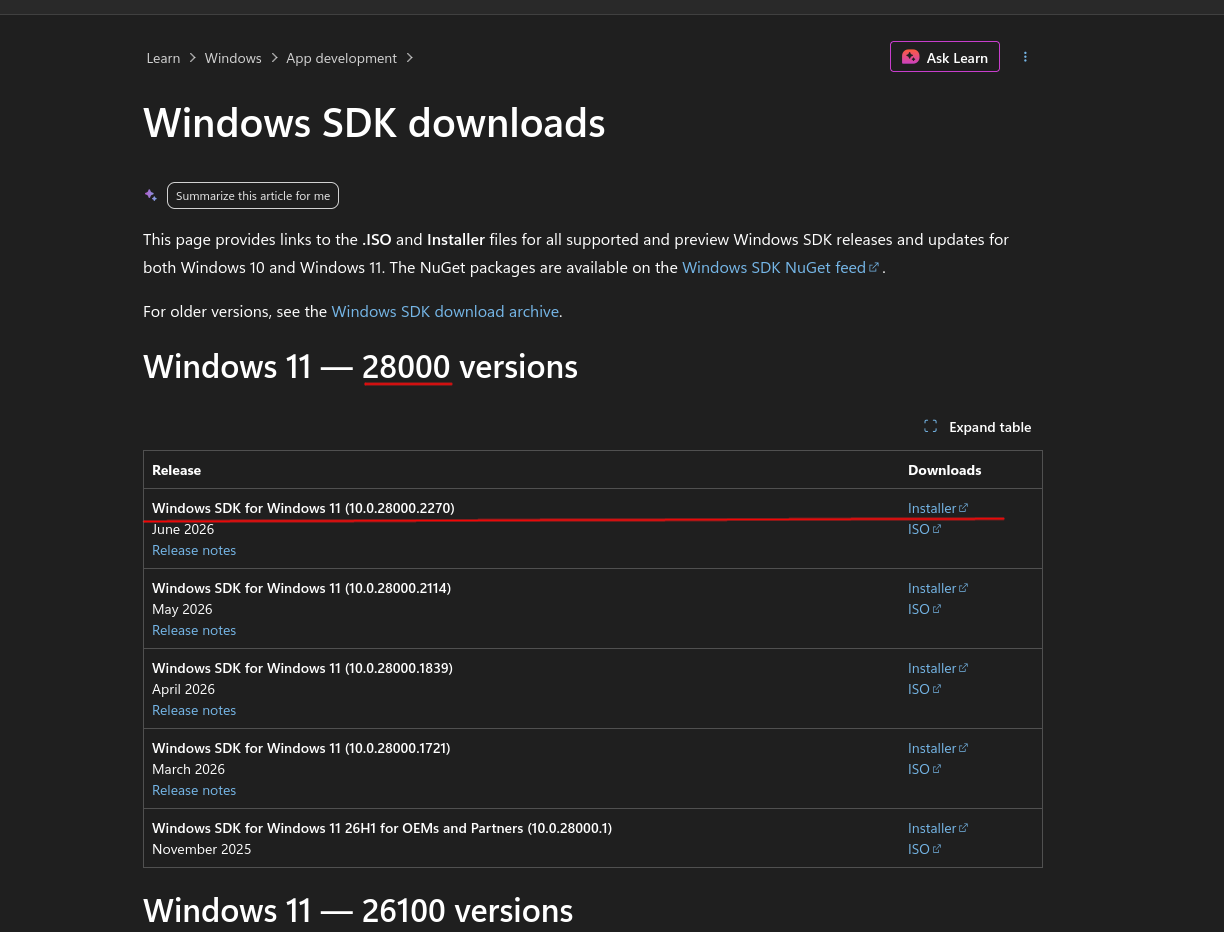
then grab librocdxg
git clone https://aur.archlinux.org/librocdxg.git
Edit WIN_SDK with the new version string. For me:
diff --git a/PKGBUILD b/PKGBUILD
index 0b450e8..1aaa4cf 100644
--- a/PKGBUILD
+++ b/PKGBUILD
@@ -17,7 +17,7 @@ sha256sums=('96ad5e6e708dbd050539eca36ad15b37aa589a9dd889e8caf45d4bbd7699dc0e')
 build() {
   cd "$srcdir/$pkgname-$pkgver"

-  WIN_SDK='/mnt/c/Program Files (x86)/Windows Kits/10/Include/10.0.26100.0/'
+  WIN_SDK='/mnt/c/Program Files (x86)/Windows Kits/10/Include/10.0.28000.0/'

   # Build the library
   mkdir -p build
Then build with makepkg -si. Then you are set. You should be able to run rocminfo and see the GPU
> /opt/rocm/bin/rocminfo | greo Radeon
[marty@manuka librocdxg]$ /opt/rocm/bin/rocminfo | grep Radeon
  Name:                    AMD RYZEN AI MAX+ 395 w/ Radeon 8060S
  Marketing Name:          AMD RYZEN AI MAX+ 395 w/ Radeon 8060S
  Marketing Name:          AMD Radeon(TM) 8060S Graphics
Enjoy ROCm as expected from this point onwards!